The project
Blender · Cinema 4D · TouchDesigner — the scene the whole family grows from.
THE LIBRARY FOR VJs & WORLD-BUILDERS · COMING 2026
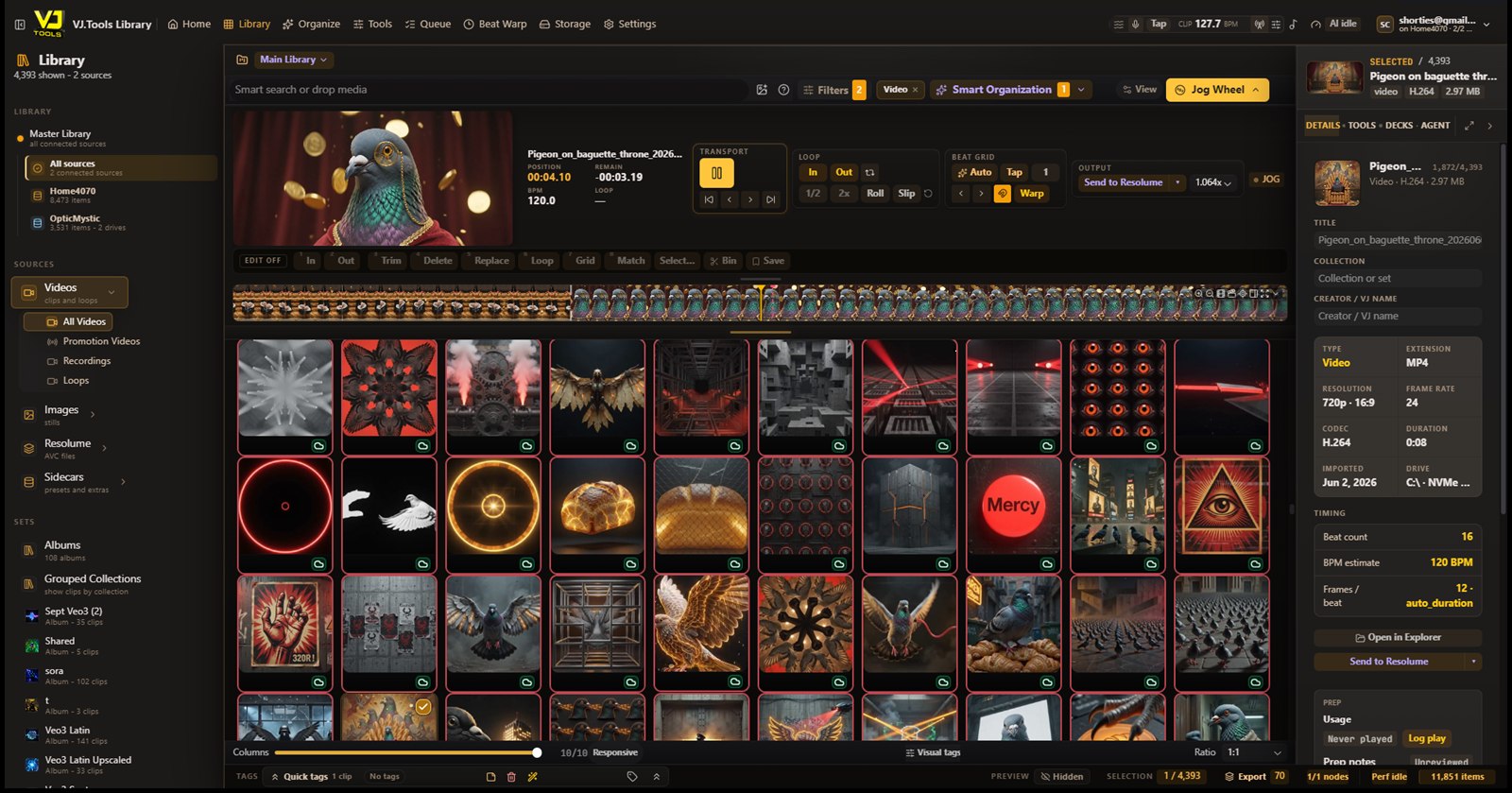
VJ.Tools is a smart media library and prep system for VJs. Find clips by what's actually in them, keep every version attached to one source, retime for Resolume's BPM playback, and prepare the right cut for the room — then send it into Arena ready to use. Built for artists who love their performance software and want the library around it to finally keep up.
Festivals and rooms like the Sphere build entire worlds for a crowd to stand inside — with whole teams behind them. This is the library that gives one person that reach: thousands of clips, organized, versioned, and gig-ready, so you spend the night playing Resolume instead of hunting for a file — and the visuals stop merely reacting to the music and start becoming a place. And when the work grows past one person, it grows with you.
Preview features are built but still completing installed-release certification. Experimental features need real environment or provider validation. Hardware validation pending means mappings exist but physical-device evidence is still open. Roadmap is not in today's Windows build.
01 SEARCH BY CONTENT
Search your library by what's actually on screen: scene, subject, colour, motion, mood, setting, texture, or energy. The AI that reads your footage runs on your own machine — so search works with no uploads, no API key, and no subscription, and never leans on a filename you wrote three years ago. Nothing is generated here; this is AI pointed squarely at finding what you already made.
02 ONE CLIP, EVERY CUT
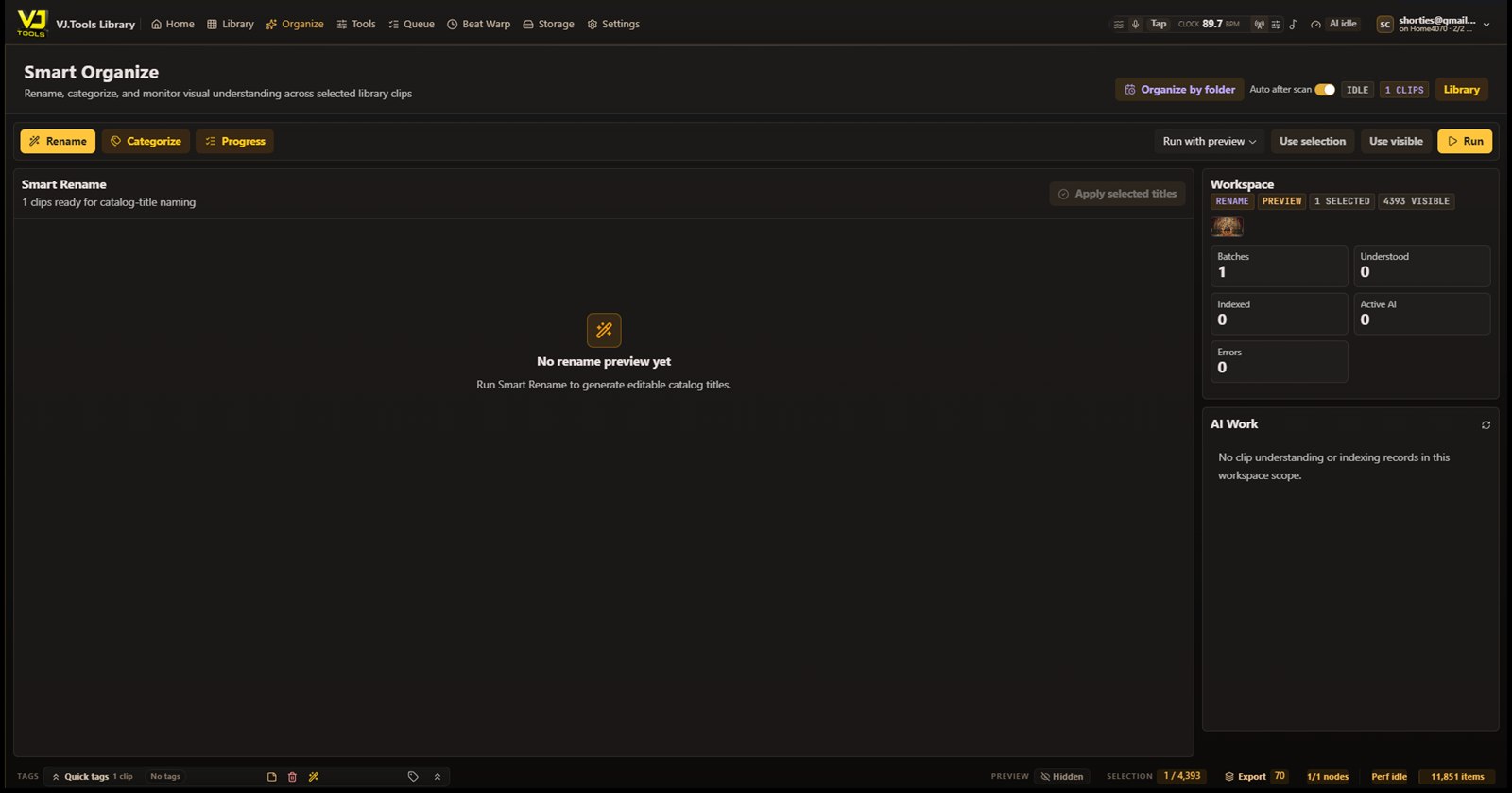
Every aspect-ratio crop, every upscale, every frame-interpolated render, every DXV export lives as a version attached to the original — not ten near-identical files bloating your library. Walk into a gig, tell it the screens and the hardware, and it hands you the best version of each clip for that exact rig. Different room tomorrow? Different renditions, same source, one click.
03 THE PREP DECK
Preview and scrub any clip — even keyframed, non-DXV files that normally refuse to run backwards; it caches frames as it goes. Then drop a beat grid on anything that never cared about tempo and retime it to even beats, so Resolume can actually lock it to BPM. This is where AI-generated clips finally earn their place: a model almost never renders on a clean beat, so a gorgeous loop is dead weight in a BPM set until it's retimed — and the same fix rescues a livestream grab or a loop from anywhere. Mark a region, loop it seamlessly, cut it, or hand it back to be regenerated — with a mouse, or with the CDJ / XDJ jog wheel already in your booth. It's a prep and edit station, not a live tool.
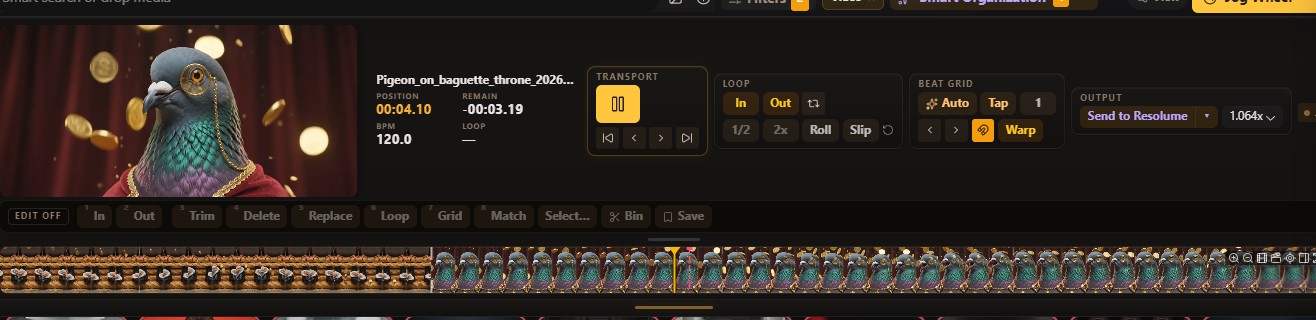
04 BRING IT UP TO SPEC
Upscale a clip for a bigger wall, or smooth it to a higher frame rate with interpolation — AI enhancement that runs on your own GPU, no subscription required. Fix a bad patch in place — a stray hand, a melted frame — without throwing away the take. Every result attaches to the original as a version, so the library stays clean and each gig pulls the best fit. For artists who use generative workflows, VJ.Tools can also organize, repair, convert, and route those outputs — but the core library works just as well for artists who never generate a clip.
05 SOURCE TO SCREEN
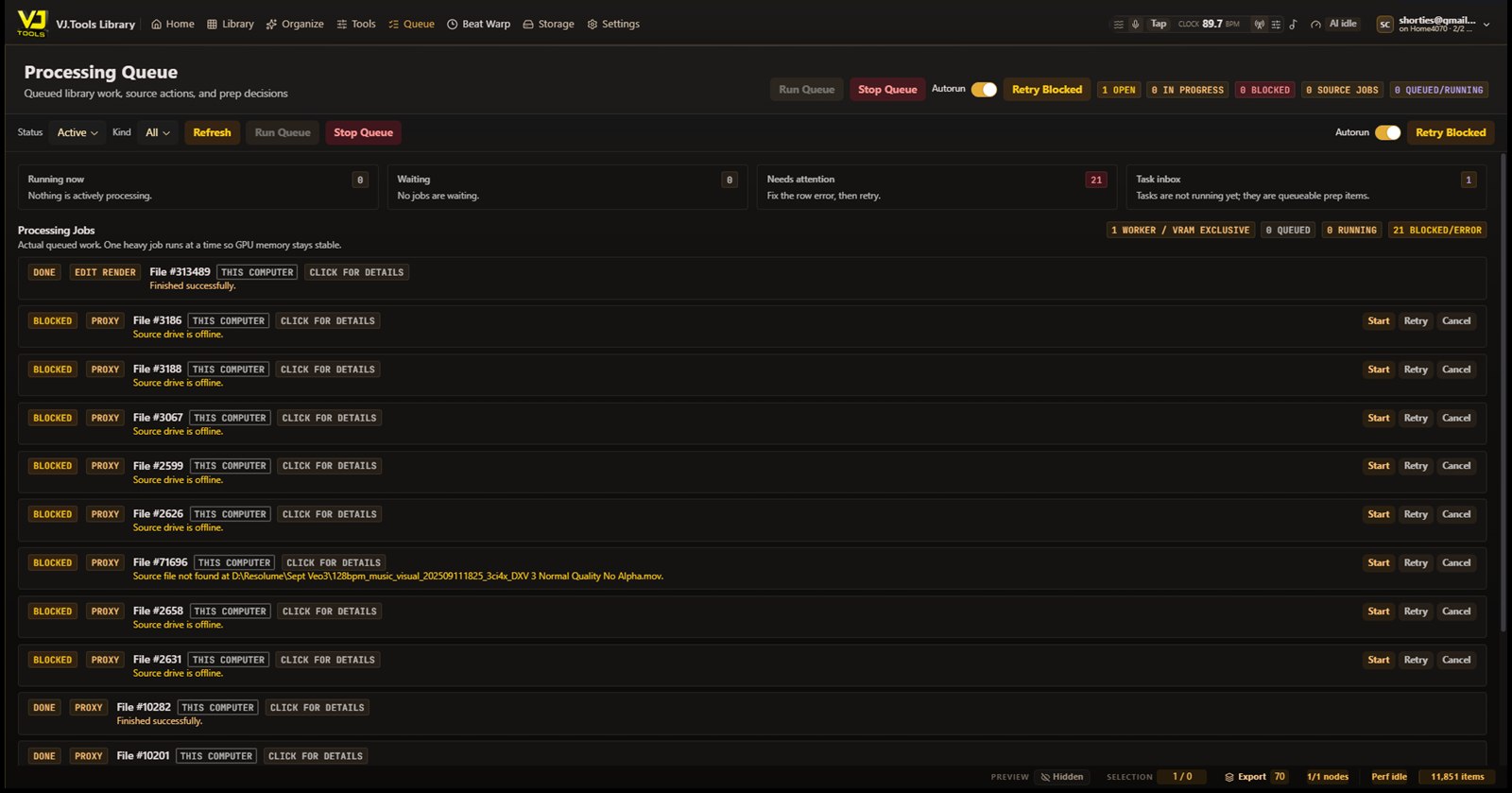
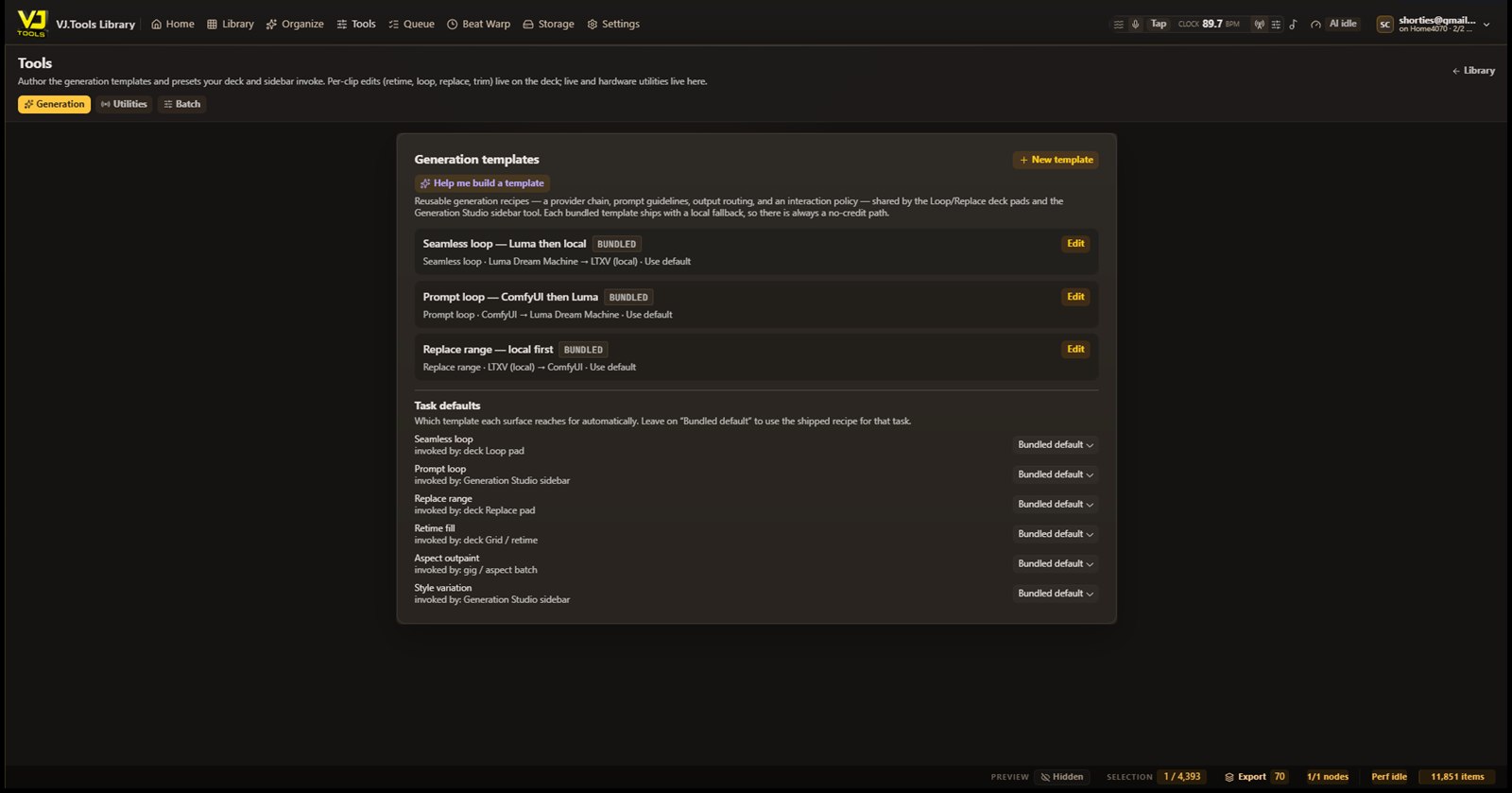
A finished clip is rarely one file. It might begin as a Blender scene, a Cinema 4D project, or a TouchDesigner network, then become an image sequence, an upscale, a RIFE-interpolated version, a DXV export, and finally a Resolume-ready clip. VJ.Tools keeps those relationships attached — so you can find the source, regenerate the render, compare versions, and keep the whole asset family organized.
Blender · Cinema 4D · TouchDesigner — the scene the whole family grows from.
Image sequences and raw renders, linked back to the project that made them.
Upscales, RIFE interpolations, repairs, DXV exports — every rendition, one lineage.
The Resolume-ready cut that hits the wall — traceable all the way back to its source.
06 VJ.TOOLS WINGMAN
The Wingman rides beside your set and listens to the room. It recognizes the track by ear — built for real DJ audio, pitched and filtered and mid-transition — scrolls the lyrics in time, reads the booth's tempo better than the booth does, and turns the line being sung into clips on your wall. Resolume runs the show. The Wingman keeps it fed.
MODULAR · LOCAL CAPTIONS, TRANSLATION, TEMPO + HISTORY · EXTERNAL AUDIO ID DISCLOSED
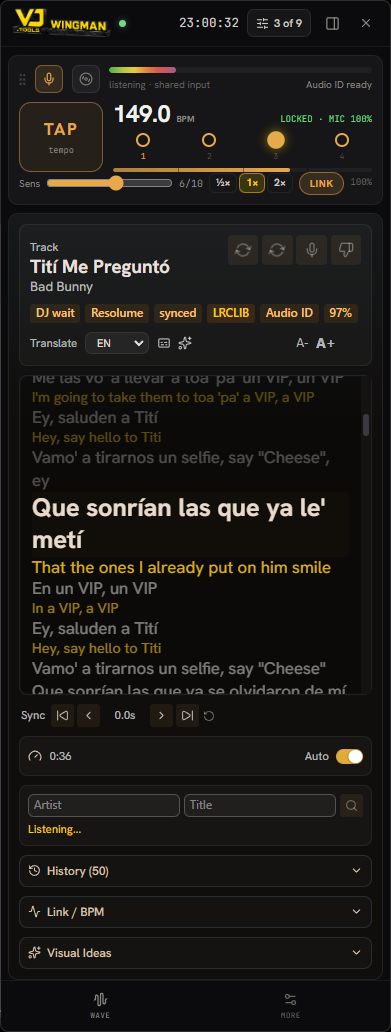
◐ LIVE TRANSLATION
A reggaeton set, a K-pop drop, a French house edit — the Wingman reads the lyrics in the original and prints the English underneath, line by line, in time with the song. The whole track is translated, not just the line on screen, so nothing catches you off guard.
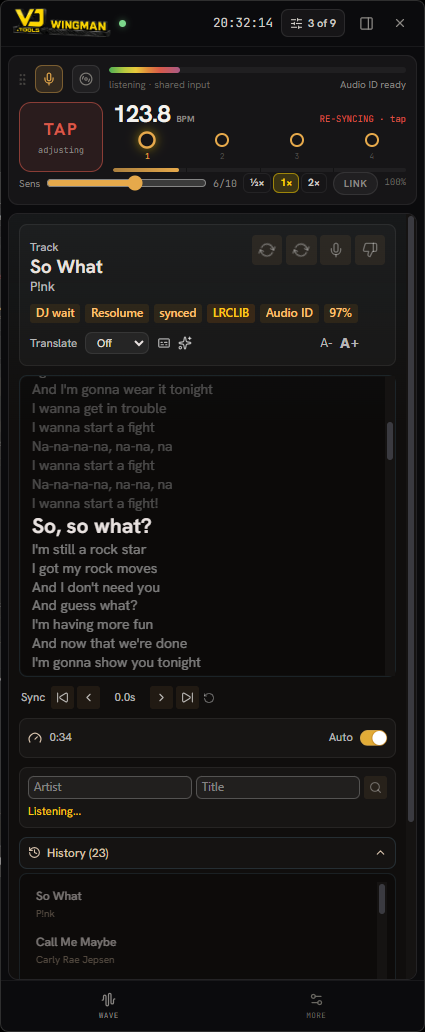
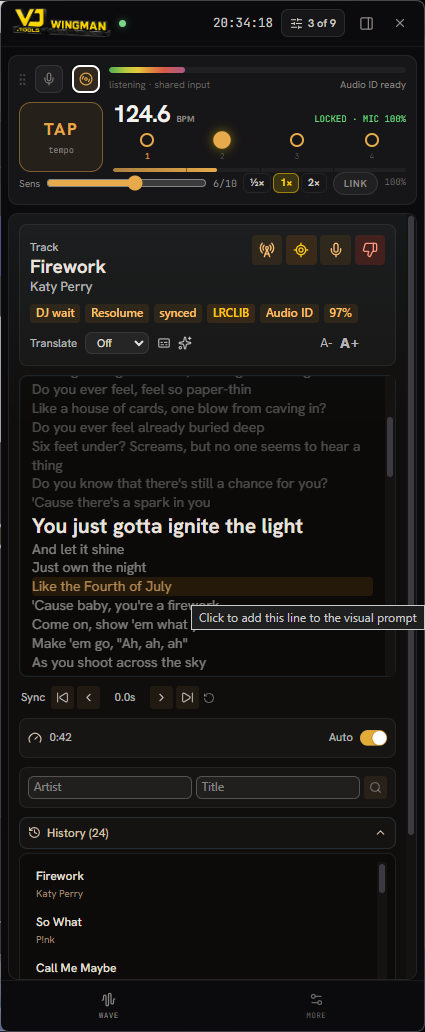
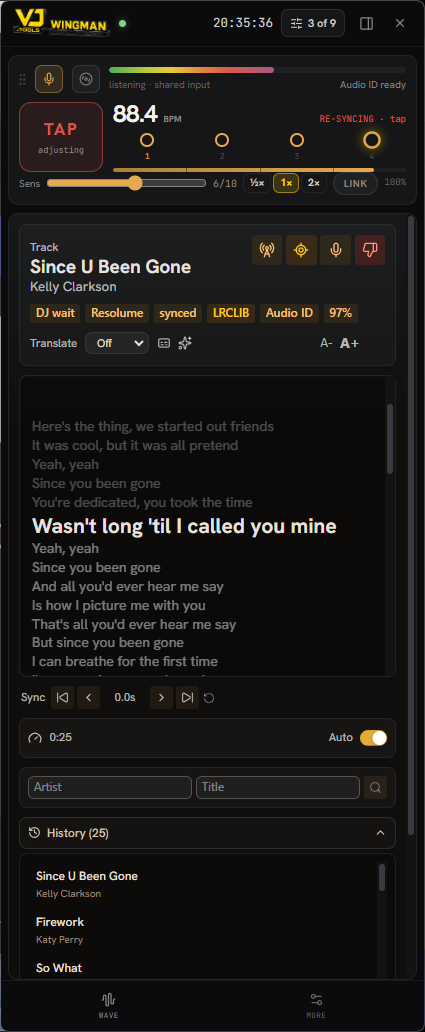
Keyless recognition that holds up on real booth audio — pitched, filtered, mid-blend. The lyric sheet loads already locked to the playhead.
Known song: time-synced lyrics scroll in front. Unknown song: a local engine captions the room live, layered behind — they swap automatically. Non-English sets translate to English on your own machine.
Fuses the Pro DJ Link grid with literature-grade audio beat tracking. Agreement snaps to the grid; a wrong grid gets overruled by confident ears — with hard protection against half-time jumps.
The fused clock broadcasts into an Ableton Link session as master — Resolume follows the booth, not the other way around. Tap to correct; it re-seats the phase without losing the bar.
The waveform of the track playing on the decks, pulled straight off the player network — playhead, master deck and all — without touching the DJ's gear.
The line being sung auto-searches your library by meaning. Click a lyric to feed the visual prompt; click a result to reveal its deck in Arena. Inspiration lands while the bar is still playing.
Every track it hears is remembered on your machine. Next time, lyrics recall instantly — even offline — and the sync tightens itself the more you play.
One shared audio capture feeds recognition, captions and tempo at once. Captions, translation, tempo and history stay local; keyless Audio ID may transmit a short sample or fingerprint for recognition.
Resolume first. Not Resolume only. VJ.Tools runs on Windows today and starts with Resolume — that's where many VJs already perform, and it's the path that works end to end right now. The library is built around a plugin layer so the same ideas can reach other visual tools over time — HeavyM, VDMX, TouchDesigner, Blender, Cinema 4D, and more. Treat that as the roadmap, not today's build: broader tool support — and VDMX in particular — arrives alongside the Mac version, which is coming as soon as there's a window to build it. The goal was never to replace those tools; it's to keep the media, projects, renders, versions, and final outputs connected.
07 AND THE REST OF THE RIG
Built for the formats VJs actually use. A native engine gives you fast preview, inspection, and cached scrubbing — no proxy transcode just to look at a clip.
Upscale or interpolate a whole selection at once. Each result is filed as a version of its source, ready for the export.
Find the redundant renders and reclaim the space — so there's room for the files a gig actually needs.
Track files across all your machines by hash — even the drives sitting unplugged in a bag. Plan the set now, fetch the media later.
Send the whole library to the cloud on a Drive plan you already pay for. Backup is a bonus, not a paywall.
One step prepares a clip — or a whole deck — and hands it to Arena, converted and ready. Built for the software you already run.
CDJ-3000, XDJ-XZ, APC40 — mapped from the official tables. Edit your library with the gear already in the booth.
The AI behind search, tagging, and enhancement runs on your own machine — so the core features cost nothing to use, with no API key and no cloud account. Cloud is only ever an optional upgrade.
One person gets a whole team's reach — and, with the event.tools sister project on the way, it opens into a shared workspace: a crew, or a collaboration with other VJs and creatives, all working from the same library. The rule on money is simple: the features run on models on your own machine, so the core needs no subscription and no API key — it's free, forever. A cloud plan is only ever an option, for the things that genuinely cost money to run: offloading a heavy render so it never steals GPU from the machine driving your set, Google Drive backup, hosted compute, the shared spaces. Local is the product; the cloud is the upgrade.
08 YOUR DATA
VJ.Tools is local-first. Search, tagging, organization, duplicate detection, versioning, and library analysis all work without turning your creative archive into training data. If you choose to give back, contribution is opt-in and always off by default — and only ever with material you have the right to share.
Every contribution category ships disabled. Contribute nothing, approve one item at a time, or opt into selected categories.
When VJ.Tools asks for an example, it explains what would be shared, why it matters, and what feature it may help improve. No fine print.
Donated examples help improve practical VJ features — search, tagging, repair, beat prep, dedup, version grouping — especially models that can run locally and benefit the whole community.
Turn future contributions off any time. Stored examples can be removed where possible, and future training runs respect your current settings.
Coming 2026. Leave an email and be first through the door when the library opens.
No spam. One message: when it drops. Privacy
▲ ALREADY RUNNING THE DESKTOP?
Sign in to reach the catalog your own machines keep in sync — browse clips, queue edits, and manage collections from any browser. Your files stay on your drives; the web sees only what you share.
Preview · Browser Library · evidence reviewed 2026-07-15